Xert – Training Optional in the Xert Training Pacer.
I did it – I moved the needle to the 1 O’clock position. “Training Optional” is sweet, sweet music. I’m going to take the day off. The dogs have been walked. Work beckons in a few hours. Right now, I’m going to fly my flight sim and maybe have a quick coffee nap.

Let’s look at the Xert Adaptive Training Advisor, below the Training Pacer. It describes WHY my status on the Training Pacer is set to “Training Optional”.
“You are in the BUILD phase of your program and have chosen a MODERATE-2 weekly IMPROVEMENT RATE. You have a TRAINING SURPLUS of 60 XSS points allowing you 0.7 days before doing your next workout. Estimated break until next workout is 0.7 days. Advice is based on your recent activities performed on MONDAYS as of 8:15 am.”
Xert – Training Optional – Breaking it Down.
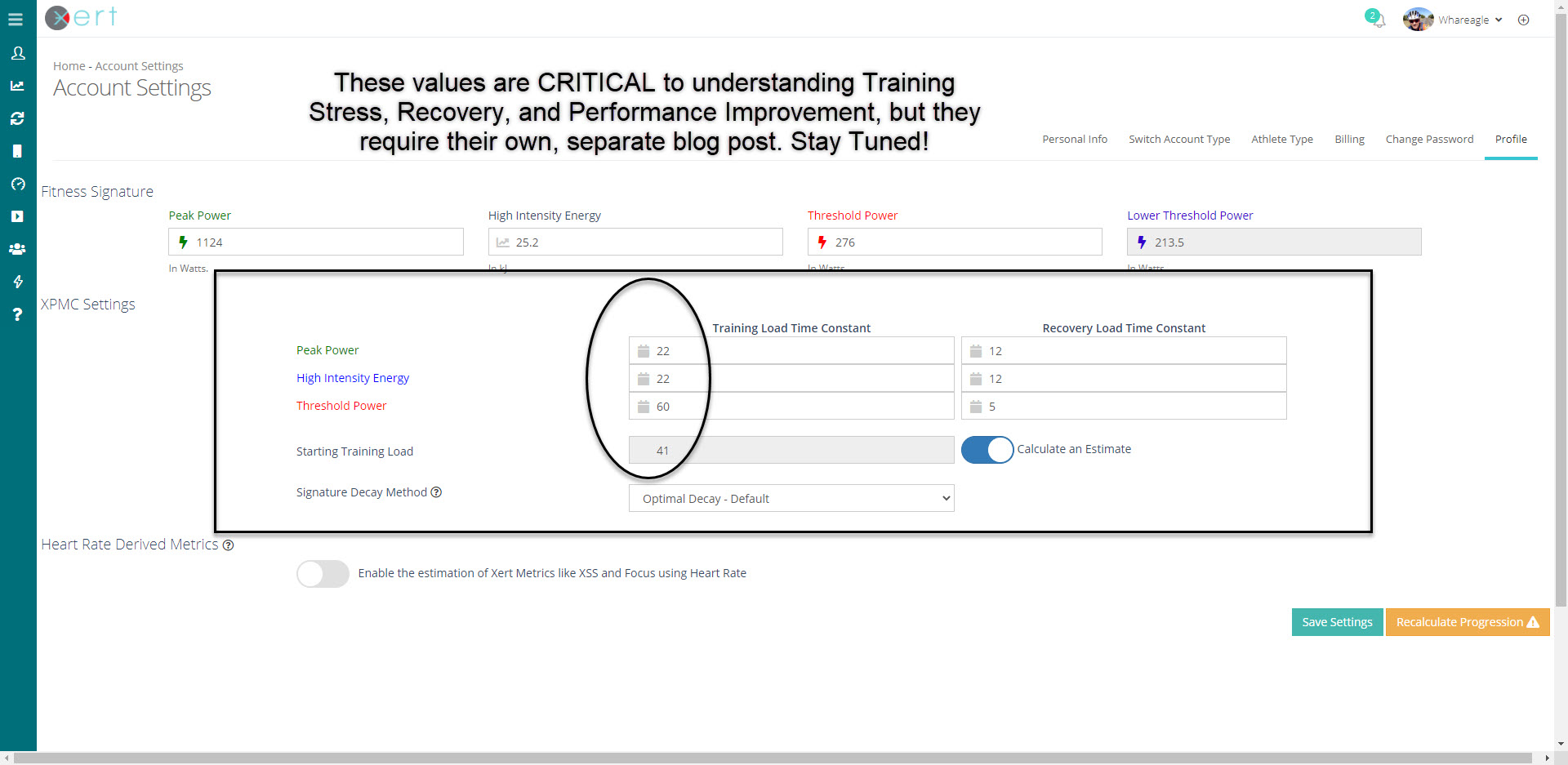
“You are in the BUILD phase of your program…” – I’m still adding XSS and Training Load. We have used a 22-day rolling average of Training Load Time Constant for Peak Power and High Intensity Energy, and a 60-day Training Load Time Constant for Threshold Power. These are located in the “Account Settings”, “Profile” area of your Xert pages. I’ve been at this for 2 weeks now, and I basically need another 7 days to start ramping up the XSS Training Load in my Xert Progression XPMC Chart.
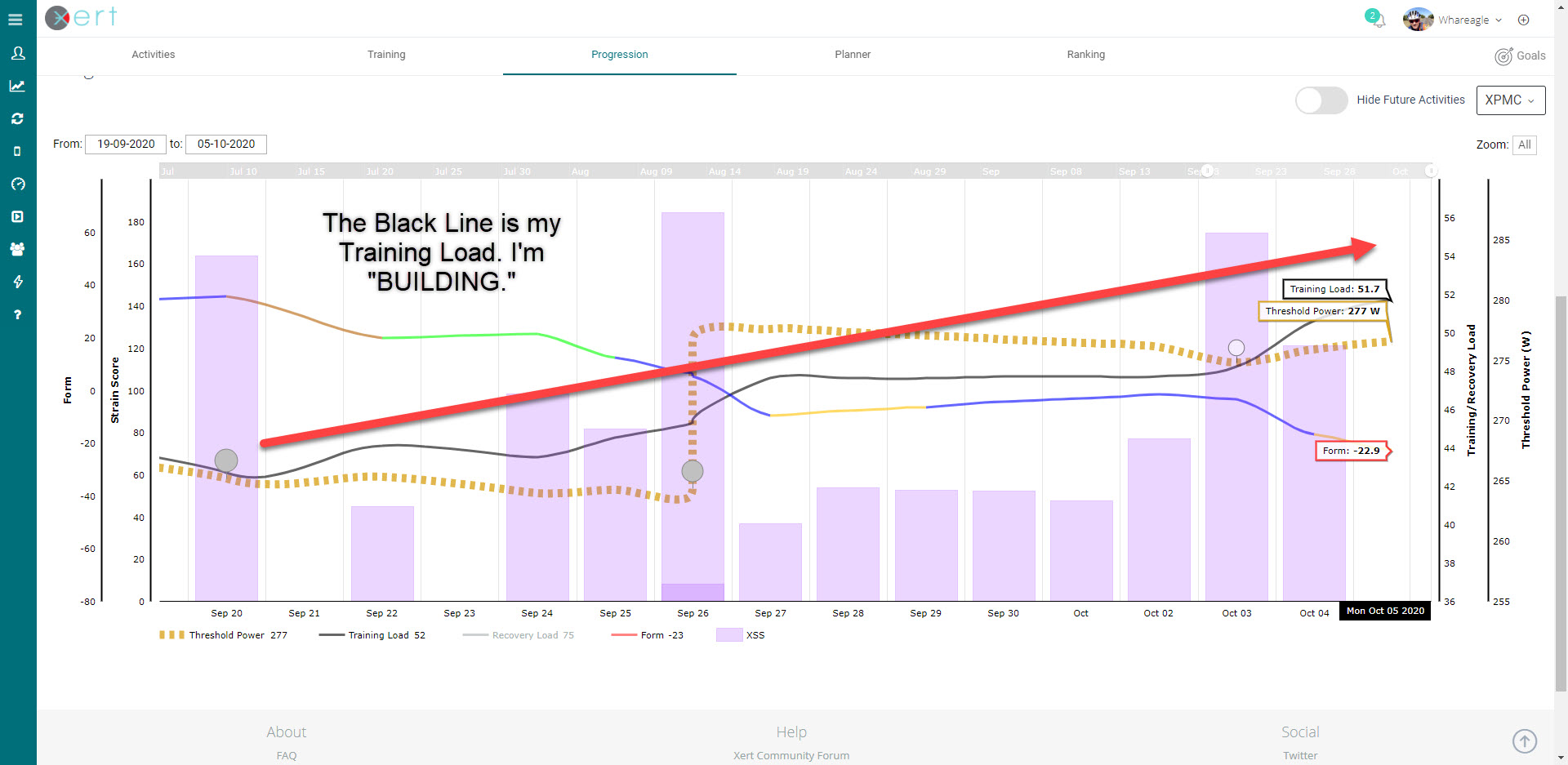
“You have a TRAINING SURPLUS of 60 XSS points allowing you 0.7 days before doing your next workout:” My work on the bike has led to more than the required number of XSS points. I’m due for a break. The next workout would ideally occur in the evening some time. That won’t happen, so I’ll ride again tomorrow.
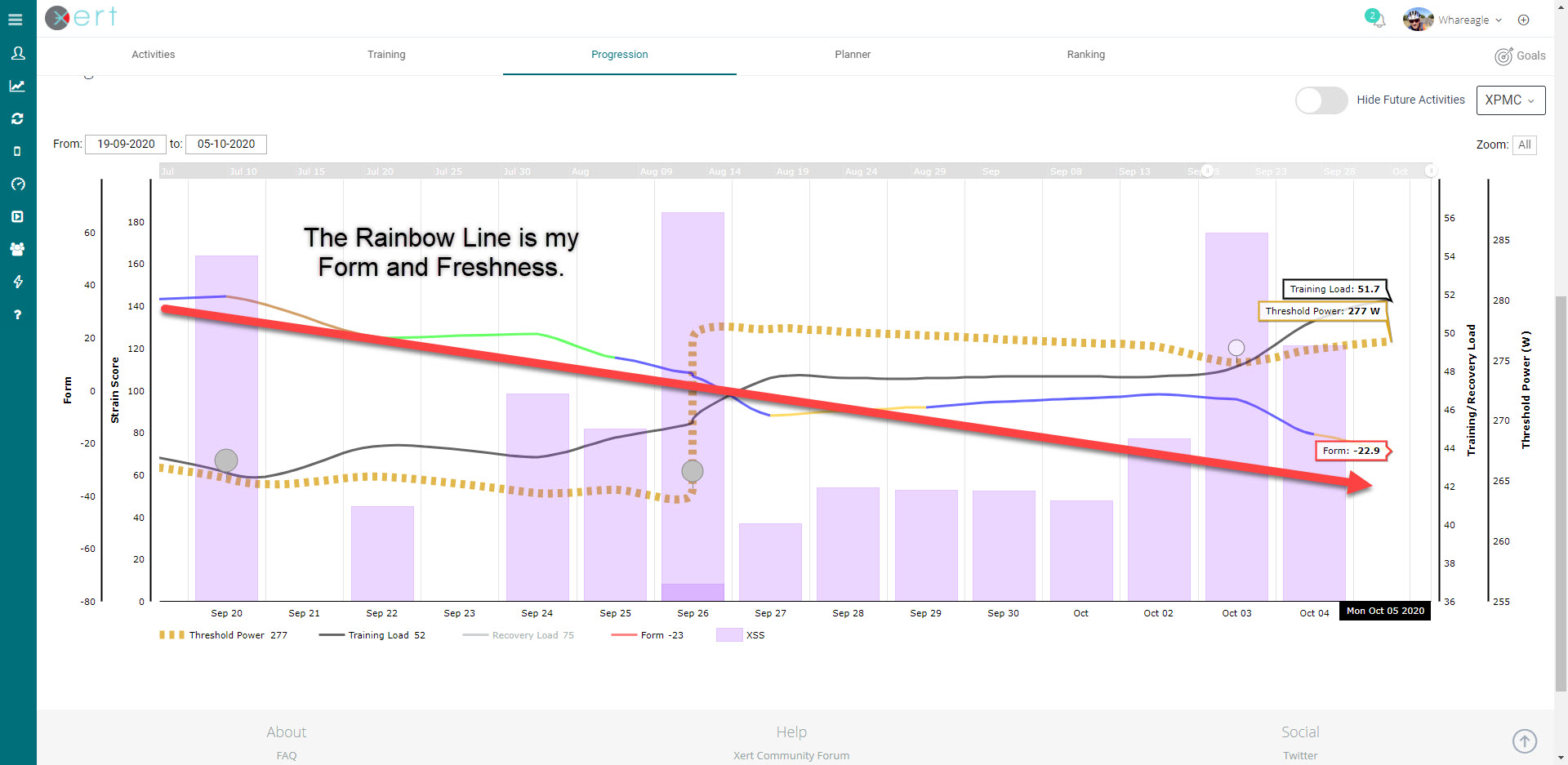
“Advice is based on your recent activities performed on MONDAYS as of 8:15 am.” I almost never get rolling before 8:15 am, due to walking the dogs, having breakfast, etc. But one of the neatest things about Xert’s Training Pacer is that it looks at PREVIOUS DAYS OF THE WEEK to help establish a pattern of exercise. If I take a day off, it’s usually on Mondays or Fridays. The Xert Training Pacer includes this in the “Training Optional” calculation!
Take the Advice and REST.
It will be interesting to see what the Xert Training Pacer and Xert Adaptive Training Advisor say tomorrow morning. I’m still in the “Build” phase, so it will probably be aerobic endurance. I feel the itch to go mountain biking, but I will wait and see what tomorrow brings.
Thanks for reading!