
Xert Freshness Feedback and How It Affects The Adaptive Training Advisor
After yesterday’s blog post, I called up Scott Steele, a young protégé who works at Xert/Baron BioSystems. We spoke about the Xert Freshness Feedback and how it affects the Adaptive Training Advisor. We both agreed that the Freshness Feedback Slider is an important part of the Xert Ecosystem, and it deserves more attention.
Where IS the Xert Freshness Feedback?
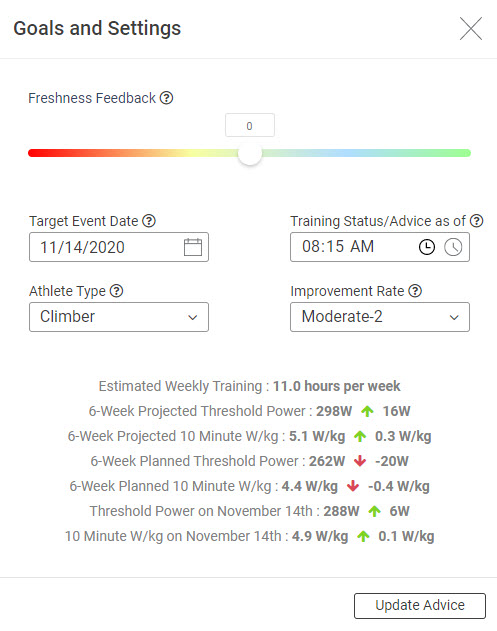
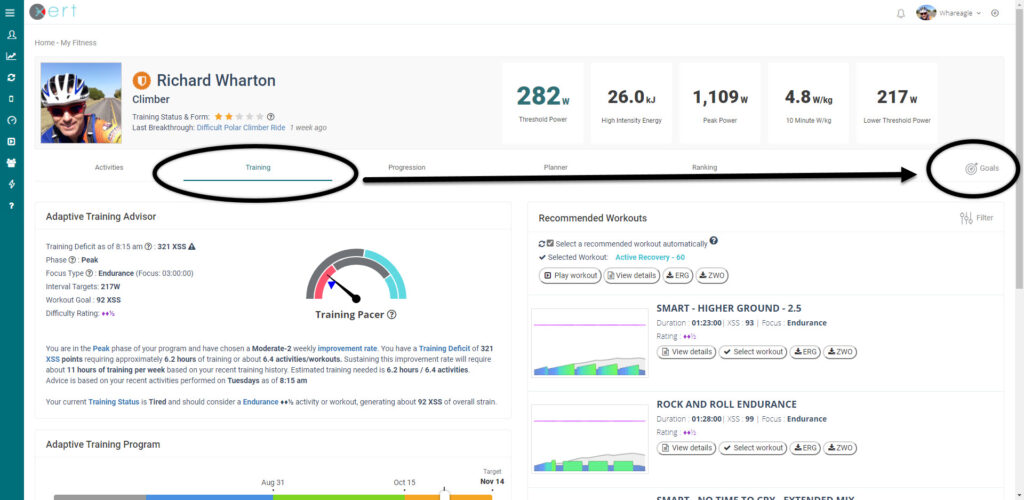
The first thing you need to know is just where this feature is located in the Xert system. In the Xert home page, make sure you’re on “Training”. Then, slide over to the far right, and click on “Goals”. A “Goals and Settings” page will pop up, and you’ll see a rainbow-colored slider bar at the top. That’s the “Xert Freshness Feedback” bar.
HOW TO USE Xert Freshness Feedback
I’ve known about the Freshness Feedback bar for a long time, but I’ve never adequately used it. The most important thing is to use it IN CONJUNCTION with the “Training Status/Advice as of” timer. This is located below and to the right of the Xert Freshness Feedback slider. SET YOUR TRAINING STATUS/ADVICE AS OF – to the time that you NORMALLY RIDE!!
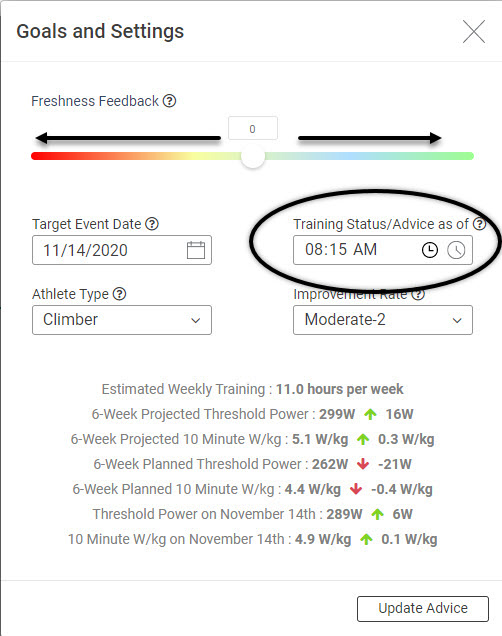
You can see that for me, this is at 8:15am. Why 8:15? Because I am usually up early, make sure to contact my European and Australian clients, then eat breakfast. I also usually walk the dogs. The ride just does not get started before 8:15. Pick your own time, and keep it there.
Next, apply the slider on the “Freshness Feedback”.
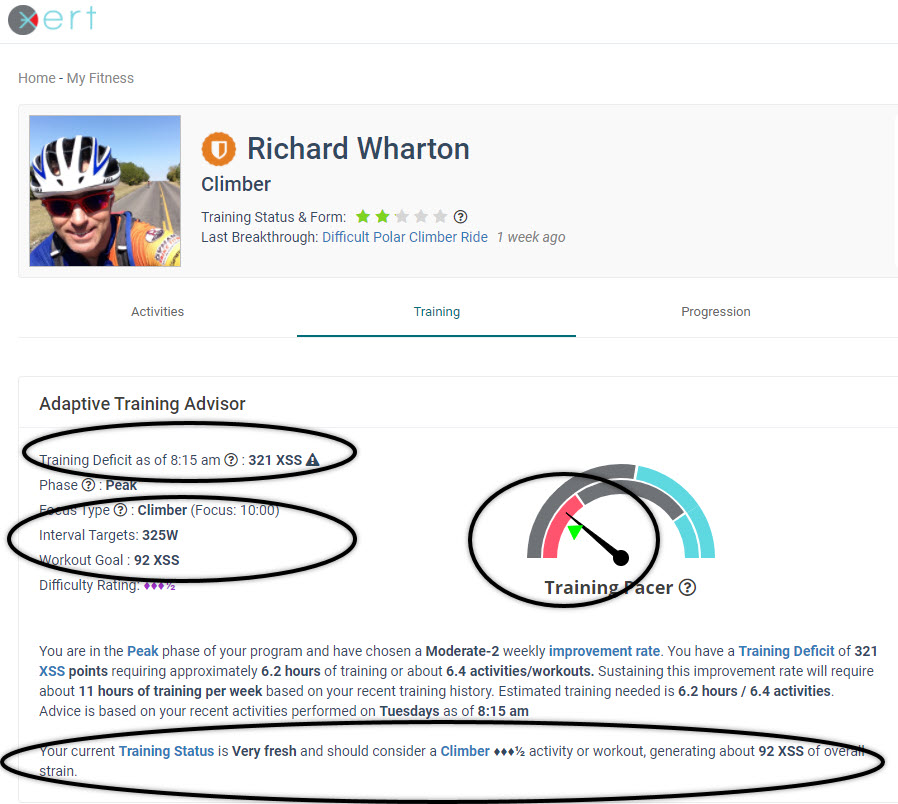
Last night, after three or four nights of broken sleep, I got EIGHT HOURS of sleep, with the aid of some melatonin. I woke up, ate breakfast, and made coffee. Every morning, I photograph the sunrise outside my home. It’s now 7:45am. I wake up the PC, log into Xertonline.com, and look at the Adaptive Training Advisor. Here’s what it shows:
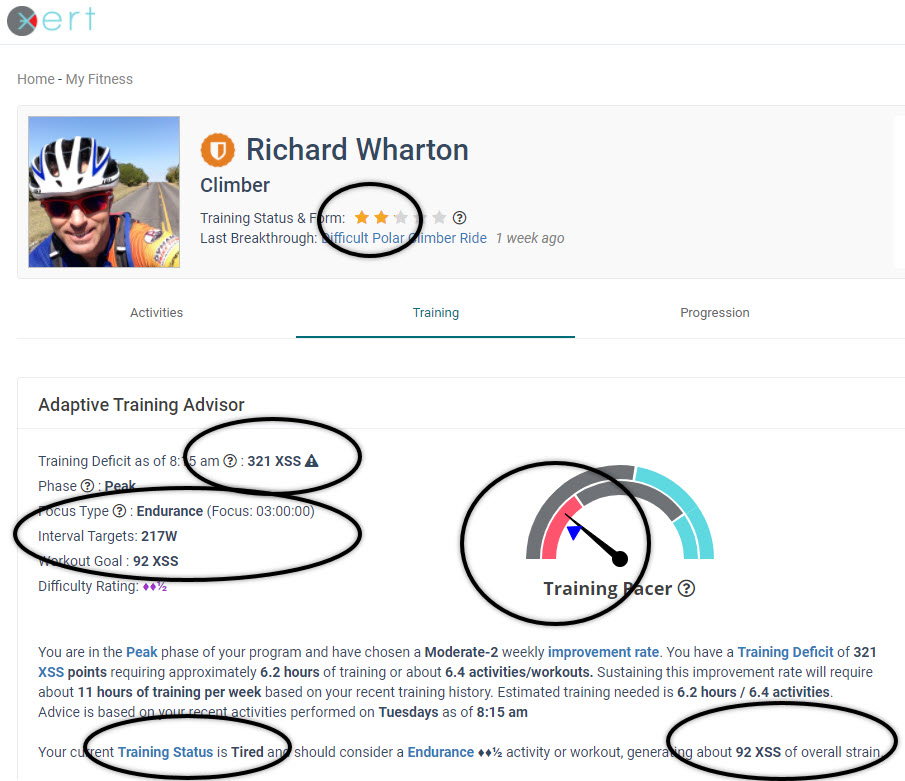
There is NO WAY that I can get 321 XSS today. It’s recommending 92 XSS at an “Endurance” pace. The Training Pacer needle is at 10 O’Clock. The 24-hour triangle is BLUE, but it’s even further to the left.
Now, let’s go to the “Goals” window on the far right.
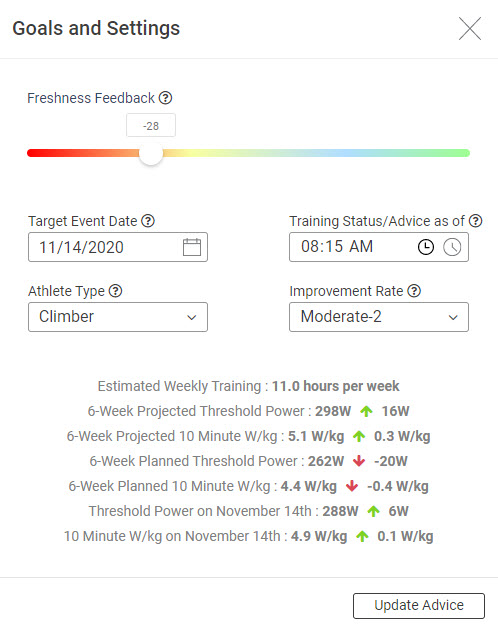
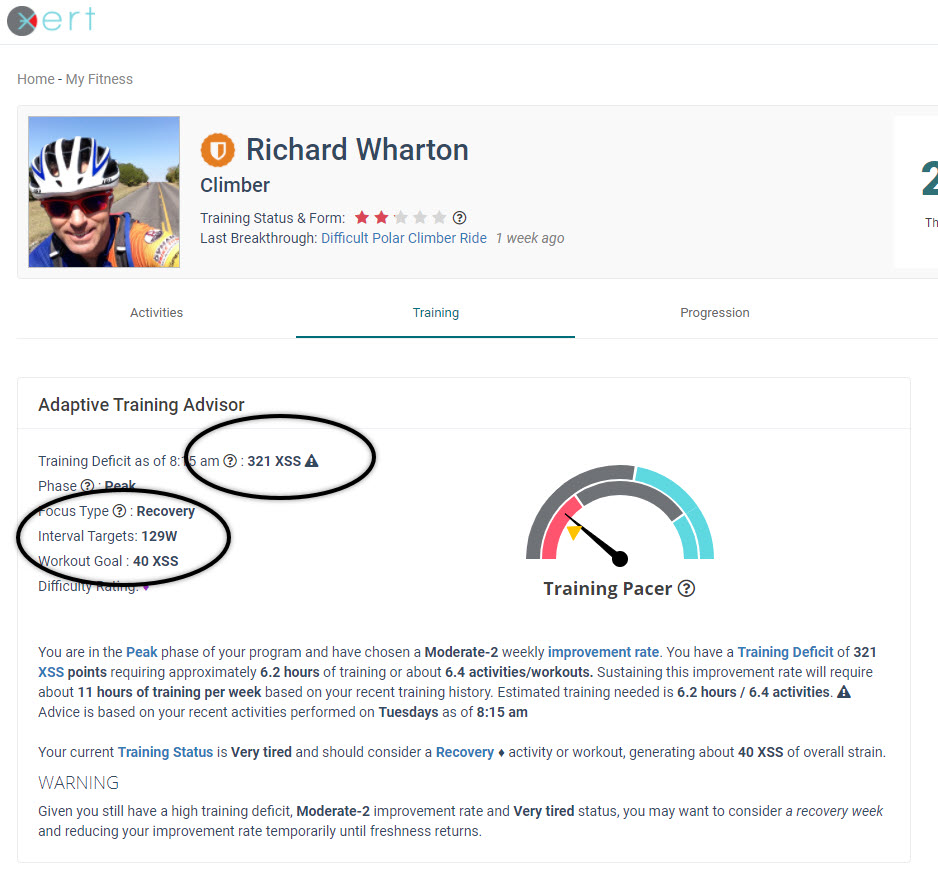
Let’s say I woke up even more fatigued than the day before. I slide the “Freshness Feedback” to the left by 28 points. I then click “Update Advice”, and the Xert Adaptive Training Advisor updates its’ Workout Goal, as well as the Training Pacer Dial.
Here’s what the Xert Adaptive Training Advisor now shows…
Wake Up Feeling Fresh As A Daisy?
Let’s slide the Xert Freshness Feedback bar 28 points into positive territory, and see what that does to the workout goal:
CONCLUSION
While I’m certainly not “Fresh as a Daisy”, I do feel better this morning than I did yesterday. I’m going to hop on the bike and get some XSS. I’ll probably Fartlek the ride, get to a 10:00 FOCUS, but I doubt that given the time available, I won’t have the ability to get to 92 points. My Xert Freshness Feedback is somewhere in between the +28 and -28 values.
I also realize why the Xert Adaptive Training Advisor keeps recommending “Endurance” Focused rides; I need to use the Xert Freshness Feedback, and honestly, get more XSS on a chronic basis.
I’m two-to-three weeks out from attempting this climb, and achieving an FTP of 300 Watts. I still do not have the time to get in, but I will be getting about 400 XSS over the weekend. That will help pull my Training Pacer up, though not to 12 O’Clock. We’ll see how it goes.
Use the Xert Freshness Feedback before your ride every day. Generally follow the Workout XSS Goals and FOCUS recommendations. This AI is smart, but with your help, it’s even smarter.
Thanks for reading!
One Response
What I think would be really great for the freshness feedback slider thingamajigger is to have it set per day and then stay set for that day and reset the next day . So if I set it tired for today it remembers that and has that as tired and that’s what that recommendations are and that’s what the fatigue level is for the next day period tomorrow it resets back to zero. I think this could also then be used for historical feeling on how you react to exerts suggested training or your own training. If you’re putting in the xss that it wants but you’re still always feeling tired and the feedback slider then perhaps the AI and exert can dial it back if you’re always feeling fresh it can dial it up and learn from how your freshness feedback gives feedback to the system