
Xert Workouts
Xert Workouts Follow the “SMART” Protocol Today’s Xert Daily Ditty shows how important a good night’s rest can be, towards helping you continue your path of Progression. I slept over 8 hours last night. When I awoke, I adjusted the Xert “Freshness Feedback”, and then, using the new Xert Adaptive Training Advisor recommendations, built a […]
Sleep and Intervals
Good Sleep is critical to recovery, so that Intervals can be completed and be effective.
I failed a workout on Friday. The effort was an attempt to get Xert XSS points in. However, I got about 5 hours of sleep on Thursday evening; three hours and then two, after two hours awake. The Xert Adaptive Training Advisor is adjusting my goals every day, but it does not take sleep quality or quantity into account. The Xert ATA does look at fatigue due to volume, but it still acts as a carrot, and I am always out chasing the goal.
The thought did occur to me to take the day off, but my goal in this series is to follow the Xert Training Pacer and Workout Goals. I’m trying to do these outdoors as much as possible. I’m also trying to adjust my intensity on the mountain bike, since that is just so much more convenient. The trails are right outside my front door. Due to some time restrictions, I was unable to get outside and ride, so I opted instead for an inside ride with intervals.
The Xert ATA was asking for 91 points and a FOCUS of 16:36. None of the recommended workouts in the right column offered anything less than 90 minutes. So, I went to the left tab of the Xert – My Fitness page, and designed my own workout.
Here’s the workout in the Xert Workout Designer
[caption id="attachment_12270" align="aligncenter" width="1850"]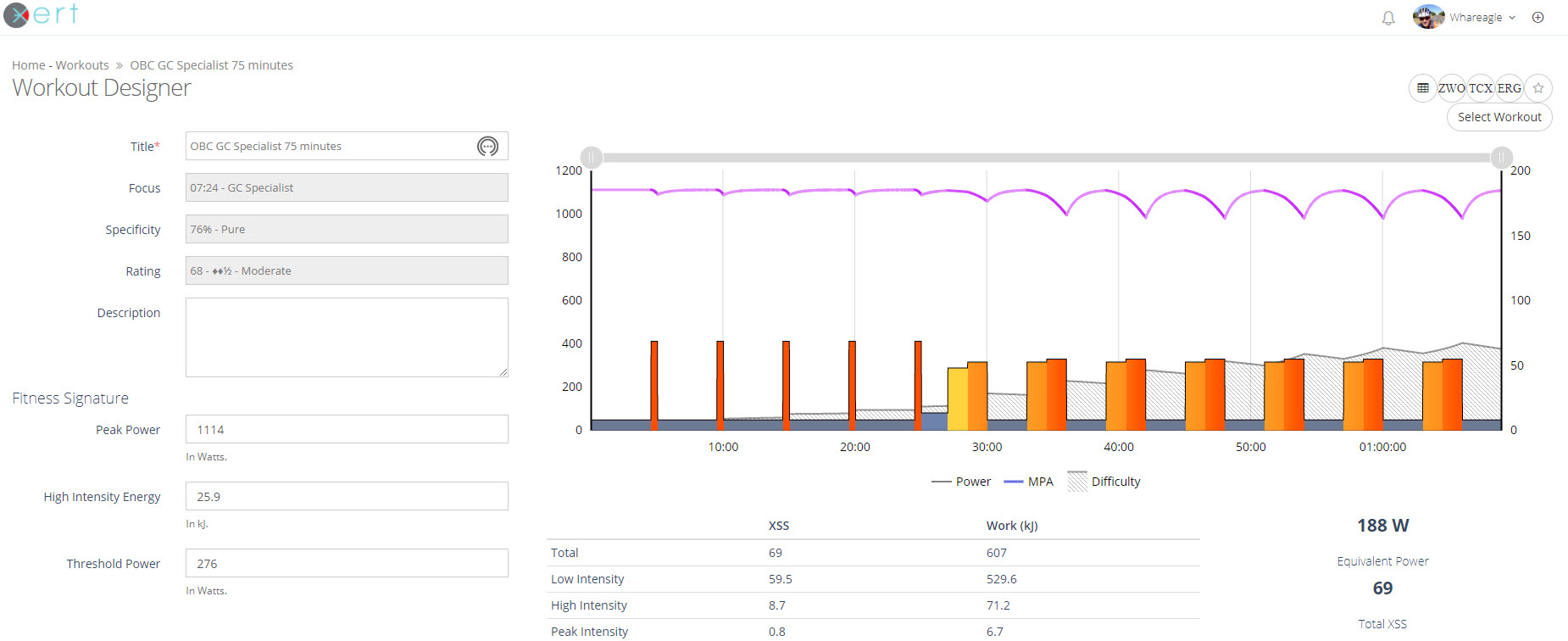 Xert OBC GC Specialist 75 Minutes Workout. The main set intervals are SLOPE BASED with % FTP GOALS.[/caption]
On Paper, this was entirely accomplishable. However, this is based on solid sleep and intervals that follow the SMART acronym.
Garmin Profiles Part 1 – Xert Training Fields
[caption id="attachment_1327" align="aligncenter" width="240"] Xert Training Fields Garmin 1000 Screen 1.[/caption]
What’s On Your Garmin?
I frequently get this question. “What’s on your Garmin?” “What’s on your Screen?” “What do your Profiles look like?” How do you set up your Xert Training Fields, and in what order?
In this post, I’ll walk you through the entire process.
Updating the OLD Xert Garmin Fields With the NEW Xert Garmin Fields – A Video Tutorial.
Unfortunately, I’m posting this a few weeks late. Another update to Xert fields has already rendered this video somewhat obsolete. It’s still a great demonstration of how to get into the old Xert Garmin fields and update them. It also shows what the Garmin Xert Field displays now provide. In Summary: In early March, Xert […]
“On The Fly” FTP: Using Xert’s What’s My FTP App On Your Garmin
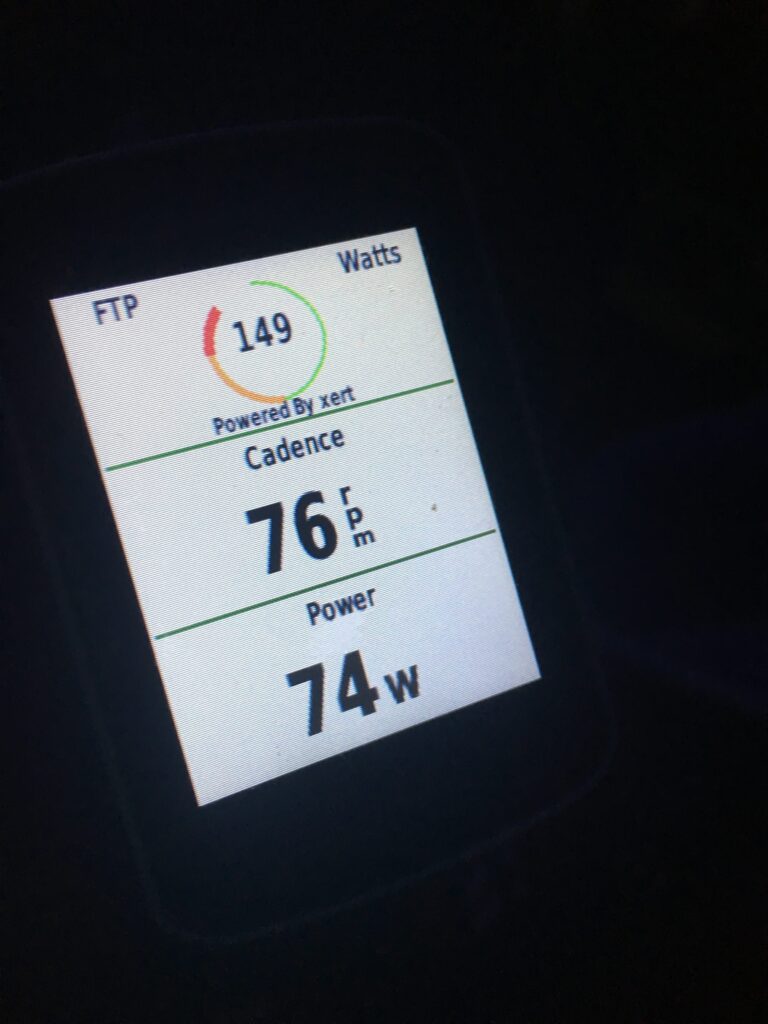
Not even a month ago, Xert by Baron BioSystems, released What’s My FTP? on the Garmin Connect IQ ecosystem. The premise is simple: if you have a smart Garmin head unit (520, 820, 920, 735, 1000) and an on-bike power meter, you can determine your Functional Threshold Power (FTP) with just a few solid, hard efforts, over a period of time.
I’m always skeptical about new product claims, but given Xert’s incredibly short but solid track record of apps that are dead-nuts on, I decided to give What’s My FTP a try. I put it to work for two of my clients, and all I can say is Wow—the results are incredible!
Now let’s show you how to get the same results for yourself.